Upload and check
Each clip goes to a dated Dropbox folder, and the copy is compared with the original before anything else happens.
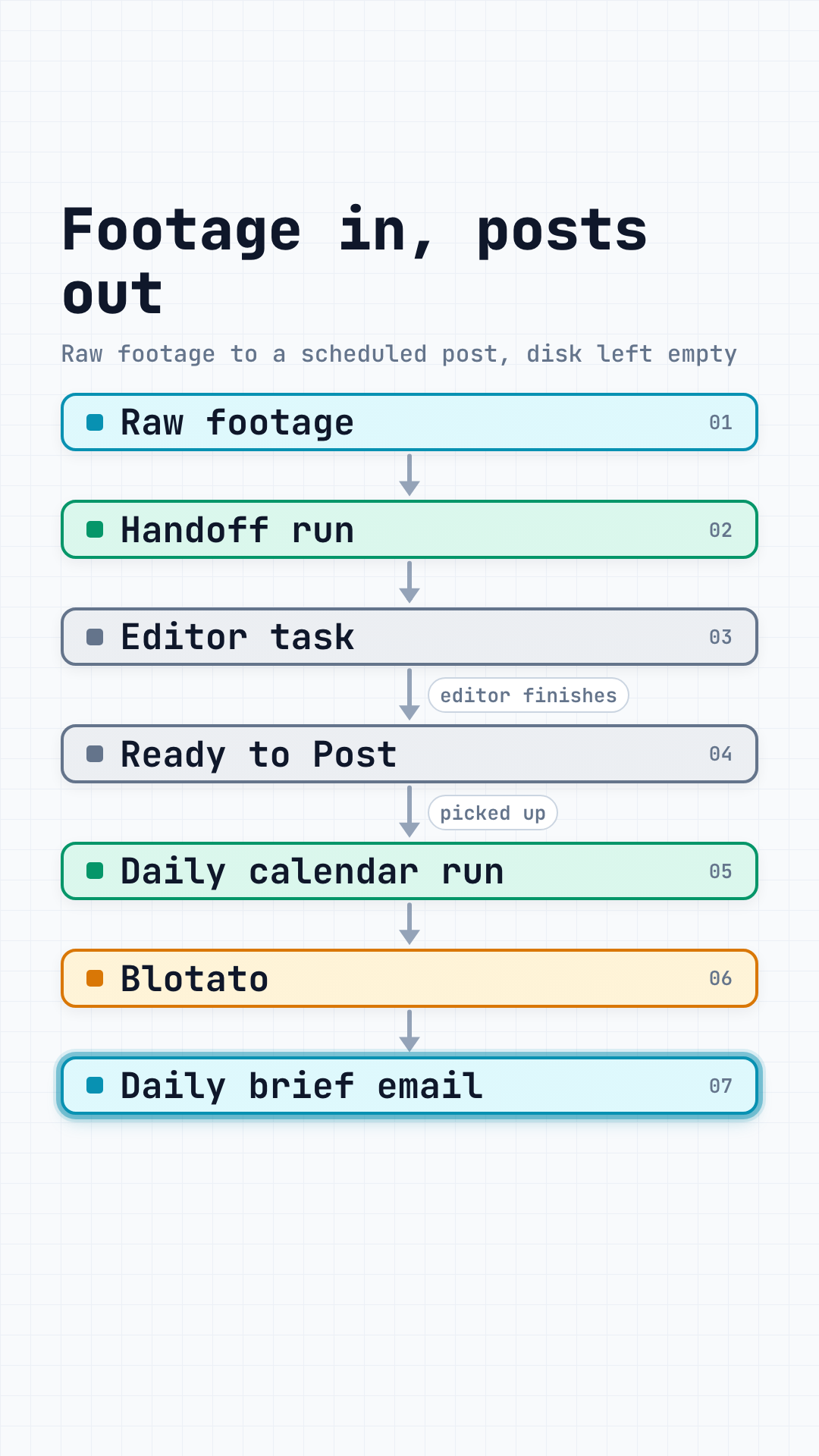
Hand it a folder of raw footage. The clips go to Dropbox, your editor's task and a backup, then off your Mac. Finished edits post on schedule.
Hours of uploads, and nobody checks that the copy matches
Wrong link pasted, deadline forgotten, task never made
You keep the raw files because deleting them feels risky
Download, upload, paste the caption, pick a time, repeat
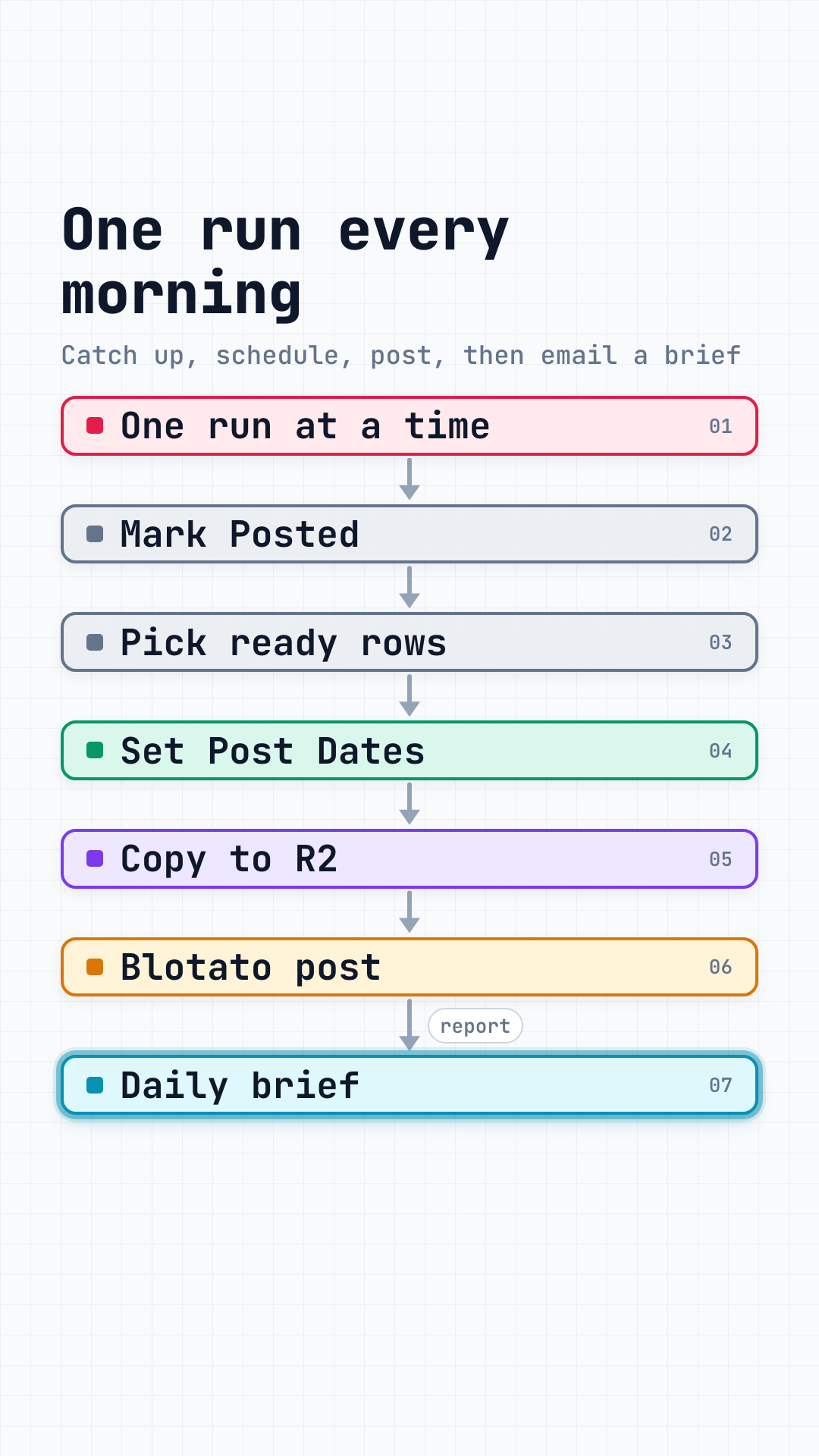
You point Claude at a folder. Each clip goes to Dropbox and is checked against the original, your editor gets a task with the link, and a small backup copy goes to Cloudflare R2. Only then are the files on your Mac deleted. When the task comes back with the finished video link and a caption and is marked Ready to Post, a daily job on your Mac schedules it through your Blotato using that caption.
Each clip goes to a dated Dropbox folder, and the copy is compared with the original before anything else happens.
One task per video in Notion with the Dropbox link, the editor and the deadline. Use another task tool and Claude writes the adapter for it.
A 1080p copy goes to your Cloudflare R2 bucket and is read back in full to confirm it arrived intact.
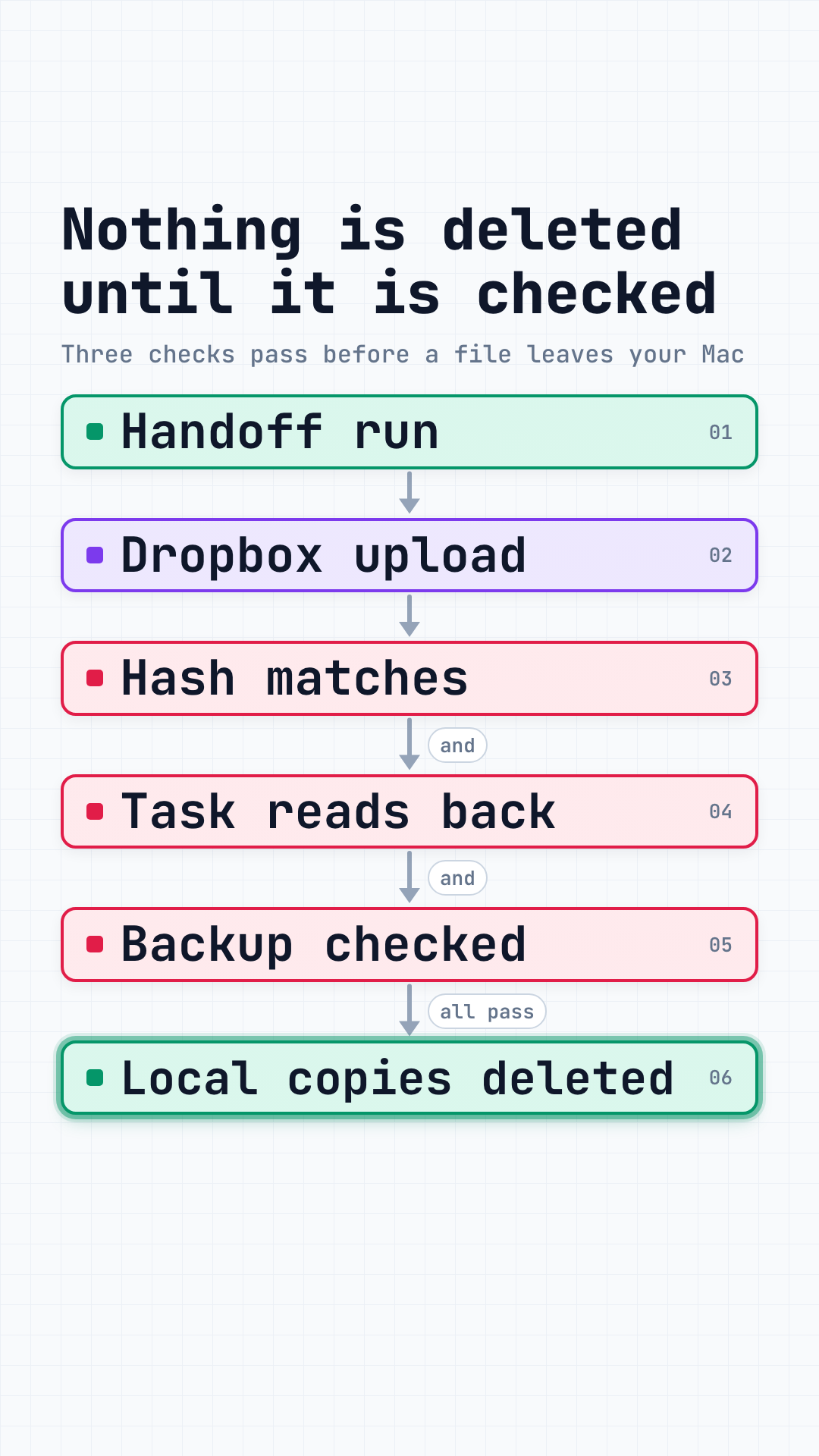
Local copies are deleted only after the Dropbox copy matches, the task reads back with its link, and the backup reads back from R2. Camera cards, external drives and iCloud or other synced folders are never deleted; the report tells you whether a card or drive is safe to format.
Tasks marked Ready to Post, with the finished video link, a caption and platforms, get a date and go out through your Blotato. No caption means no post, and the daily brief says so.
A Mac with Homebrew, plus your own Dropbox, Notion and Blotato accounts and a Cloudflare account with two R2 buckets, one with a public domain. Use a different task tool and Claude writes an adapter for it. Resend is optional, for the daily email.
The install is for members only. You get Content Autopilot plus every other system in the membership.
Dropbox for the footage, Notion for the editor's tasks, two Cloudflare R2 buckets for backups and posting files (one with a public domain), and Blotato for publishing.
You run the setup command yourself, since it asks questions only you can answer. It checks the tools, connects each account and creates your Notion content database, then Claude runs the doctor check.
Point it at a shoot. When the task comes back with the finished video link and a caption and is marked Ready to Post, the daily job puts it on your calendar.
You run setup in your own Terminal, Claude runs the doctor, handoff and calendar commands, and step 10 happens in Notion. After the first time, only steps 9 and 10 repeat, once per shoot and once per finished edit.
Once you are a member, sign in from this page and copy your personal install command from the member portal. Claude Code picks it up the next time it starts.
Setup checks for ffmpeg and rclone. If one is missing, it prints the Homebrew command, and Claude can run it for you.
Setup opens the Dropbox sign-in in your browser so you can approve access. There is no app to create and no key to copy. Afterwards setup saves the connection and the doctor checks it with a test write.
In Cloudflare, create two R2 buckets, one for backups and one for videos waiting to post. Connect a public domain to the posting bucket so Blotato can fetch each file, and make an R2 API token. Setup asks for your account id, the token, the bucket names and the public URL.
Paste a Notion integration key, pick a page and connect the integration to it from the page's ... menu under Connections. Setup creates the Content database with every field the kit reads.
Paste your Blotato API key and enter the Blotato account id for each platform you post to.
With a Resend key, the daily brief arrives by email. Without one, it is saved on your Mac and you get a notification.
One command tests every connection and every field in your Notion database. Anything wrong is named, so you know what to fix.
Point it at a folder of footage. You get one task per video, a checked Dropbox copy, a backup in R2 and your local files cleared.
When the edit is done, add the finished video link and the caption, pick the platforms, and set the status to Ready to Post. A task with no caption is listed in the brief and never posted.
One command adds a background job that runs every morning at 7:00, or earlier if you post before 8. It picks post dates, sends each due video to Blotato and writes your daily brief.
Members install it from this page. One membership gets you Content Autopilot plus every other AI system Jay ships, ready to run from your terminal.